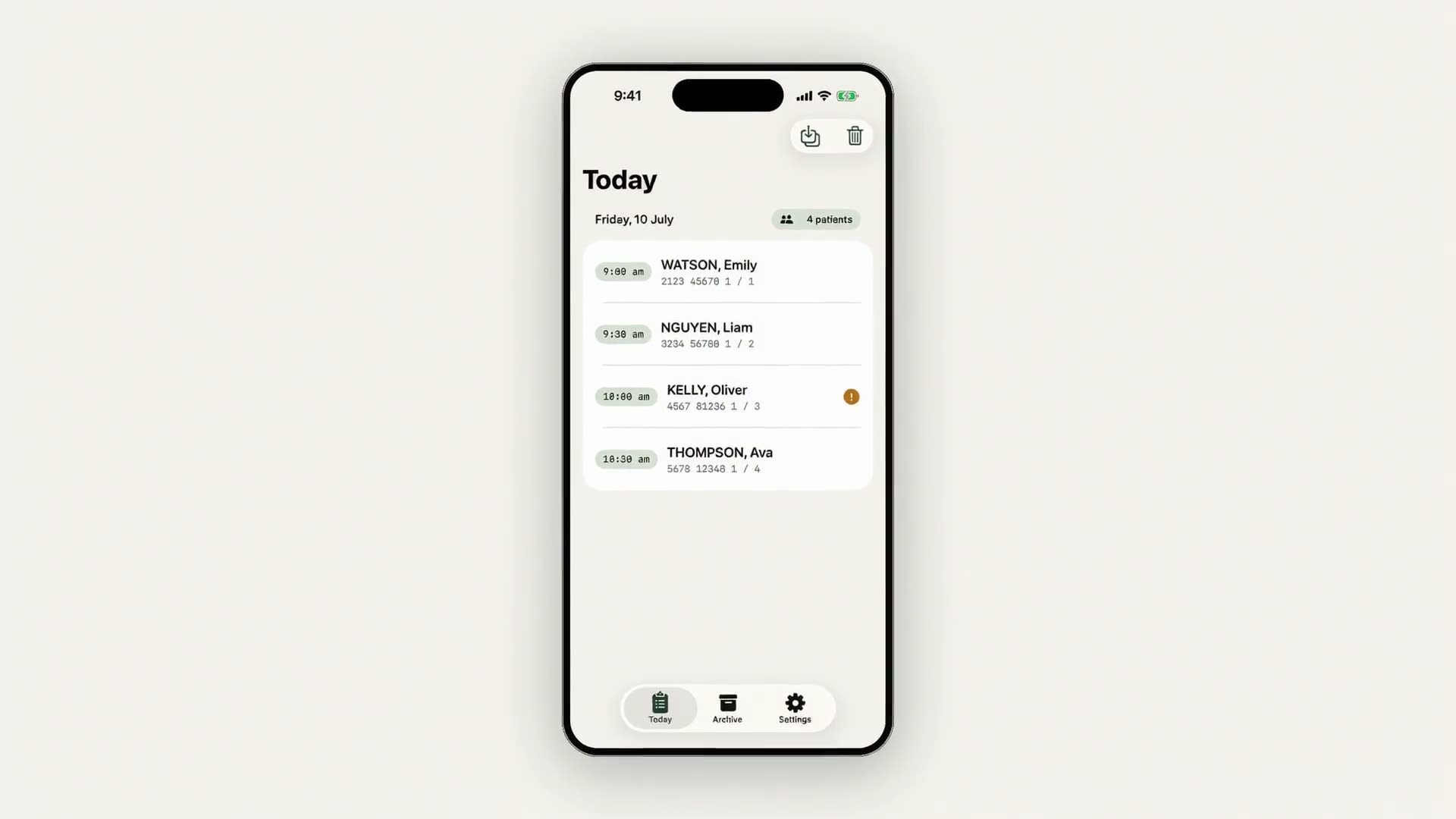
From 1 July 2026
Every bulk-billed service needs a signed agreement.
Save your paper.
Meet AOB Assist, the Medicare Assignment of Benefit app for Australian practitioners who bulk-bill.
Photograph today's list, turn the screen for the patient to sign, and file an audited PDF, all on your device. The app sends nothing anywhere.
iPhone & iPad · iOS 17+ · No account required
Ready for the Assignment of Benefit rules
Digital Assignment of Benefit for every Australian practitioner who bulk-bills Medicare, from GPs and specialists to nurse practitioners and allied health, under the rules effective 1 July 2026. No approved form, no paper. Read the plain-English guide.
No approved form required
There's no prescribed AOB form under the new rules. Any clear record of assignment is enough. AOB Assist generates a consistent, audited PDF every time.
Only the assignor signs
The patient (assignor) signs to assign their Medicare benefit to you. AOB Assist captures that signature on-screen, with the date and time recorded automatically.
Verbal assignment accepted until 30 Jun 2027
A transitional period allows verbal assignment until 30 June 2027. AOB Assist still gives you a written, signed record from day one. The safer habit to build now.
Three steps, no paperwork
From today's list to a signed, audited Assignment of Benefit, all inside one consult.
Photograph your list
Scan today's appointment list on-screen. On-device text recognition reads names and item numbers straight into a new agreement.
The patient signs on-screen
Turn the screen to the patient. They review what they're agreeing to and sign with a finger, without ever leaving your side. Done in seconds.
Audited PDF filed on device
Every agreement is hashed, timestamped and saved to your device, with an optional copy to your own export folder.
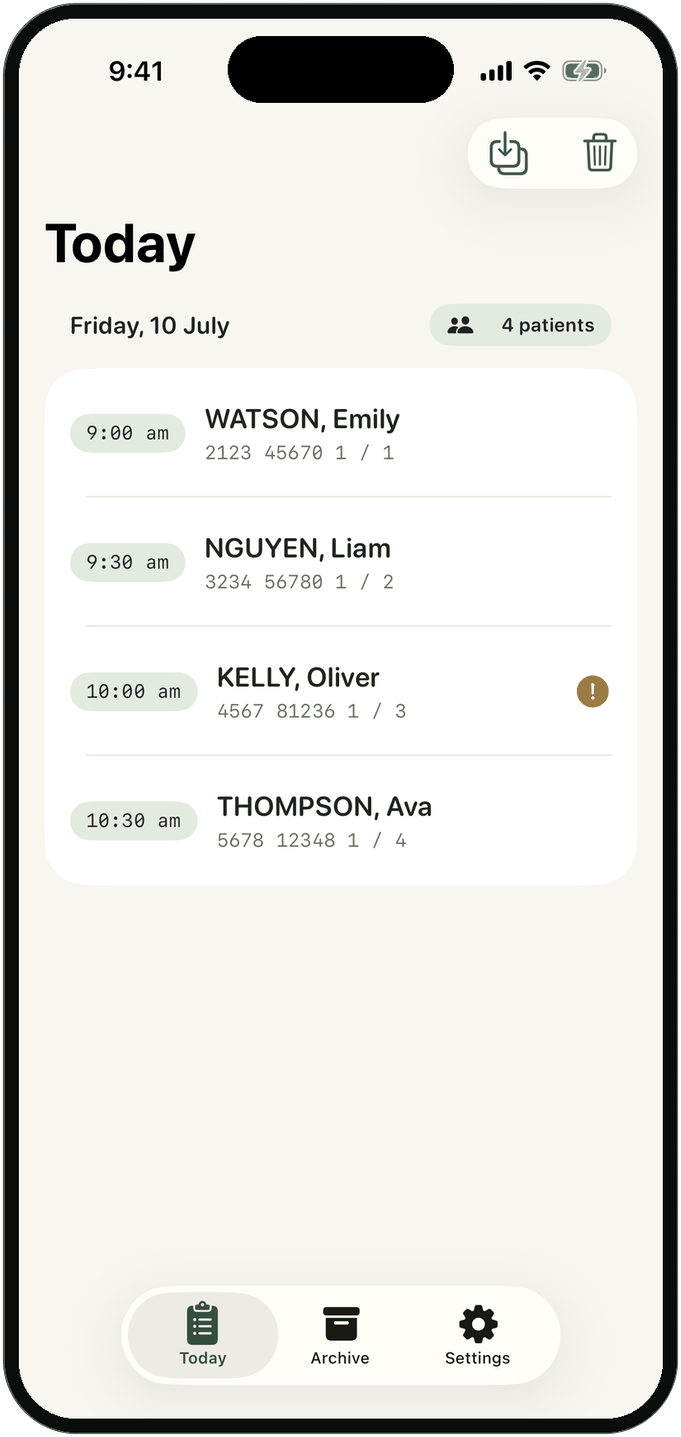
Photograph your list
Scan today's appointment list on-screen. On-device text recognition reads names and item numbers straight into a new agreement.
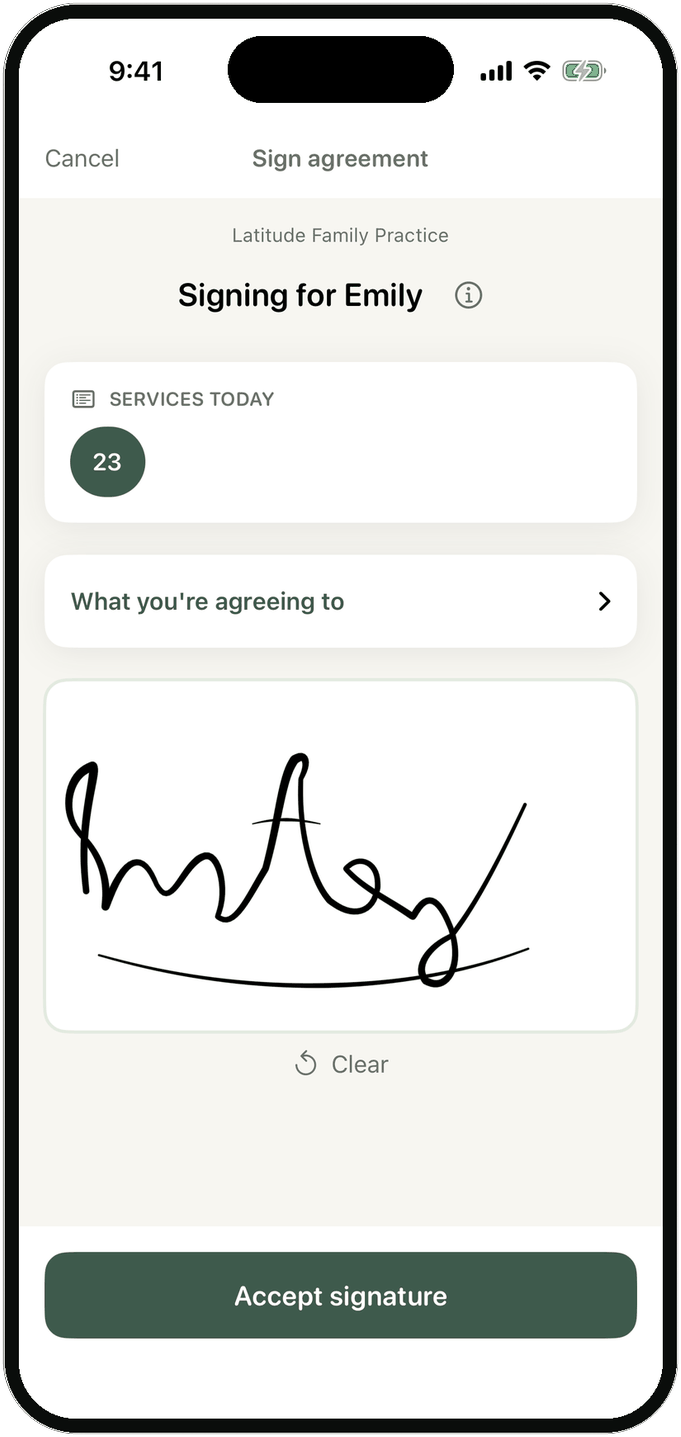
The patient signs on-screen
Turn the screen to the patient. They review what they're agreeing to and sign with a finger, without ever leaving your side. Done in seconds.
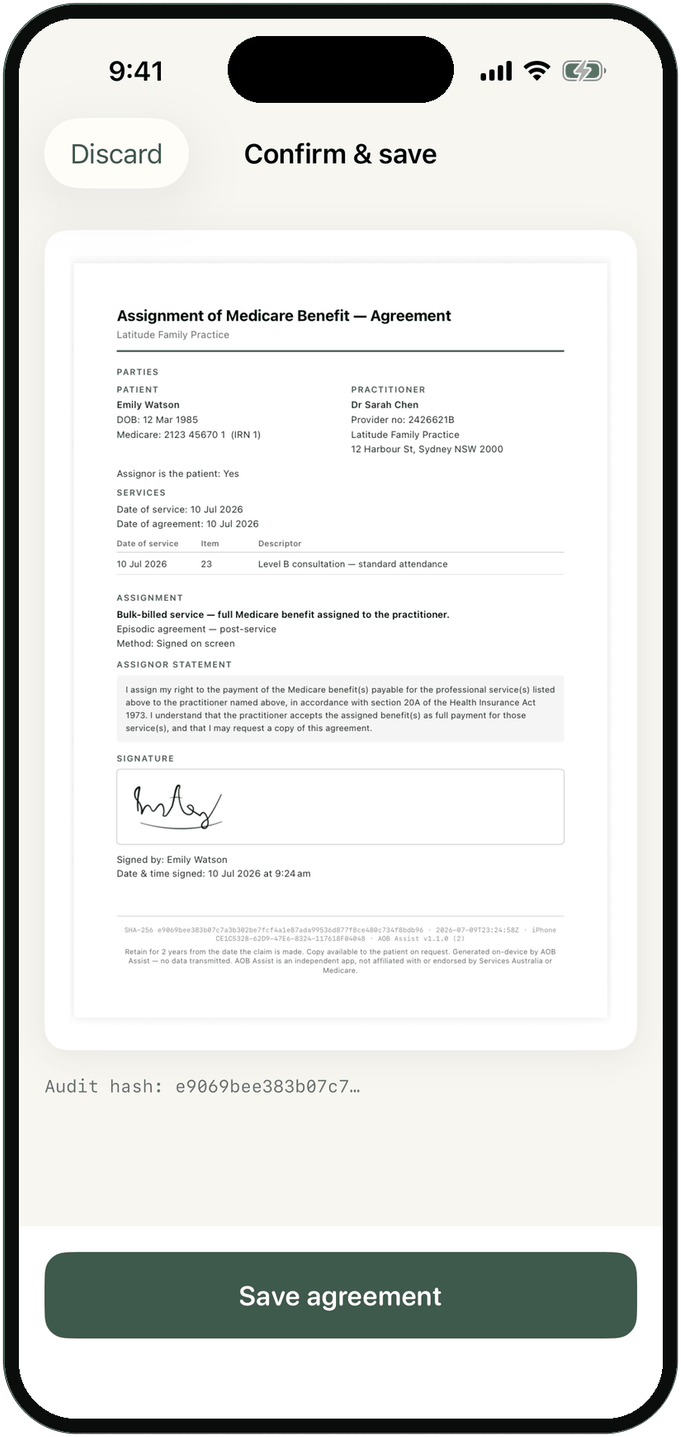
Audited PDF filed on device
Every agreement is hashed, timestamped and saved to your device, with an optional copy to your own export folder.
Ready today, whatever your practice software does
AOB Assist captures a signed agreement in the room today, on your own iPhone, for every bulk-billed patient. It works with any practice system rather than replacing it, so you are ready for the new rules now, and not waiting on anyone's release or upgrade.
Signed in the room, every patient
Turn the screen and the patient signs in seconds, while they are still with you. Not a text link they might open later, so you capture every patient, not just the ones who tap a message.
Any system, or none
It runs on your iPhone alongside Pracsoft, Best Practice, Zedmed or paper, with no integration project and no upgrade to wait for. And it goes where a desktop cannot: home visits, aged care rounds, walk-ins.
Your own audited record
Every agreement is hashed and timestamped and kept by you, on your device and in a folder you choose. An independent record, in addition to whatever your practice system files.
Nothing leaves this iPhone
AOB Assist has no networking code at all: not a background sync, not a crash reporter, not an analytics pixel. Patient names, Medicare numbers, signatures and generated PDFs are processed and stored only on the device in front of you.
- No servers. There is nothing to breach, because there is nothing to send.
- No accounts, no sign-in, no cloud sync.
- No analytics or tracking of any kind, in the app.
- Your exports go only to a folder you choose, under your control.
This website has no analytics either: no cookies, no tracking pixels, no third-party scripts. What you're reading right now is the whole page.
One simple plan
Start with a 7-day free trial. Cancel anytime in the App Store. No calls, no forms.
7-day free trial, then billed monthly.
7-day free trial, then billed annually.
Billed through your Apple ID. Manage or cancel anytime in App Store settings. No lock-in, no phone calls.
Common questions
Is my data uploaded anywhere?
No. AOB Assist contains no networking code, so it cannot send data anywhere, even if you wanted it to. Everything is processed and stored only on your device. See our Privacy Policy for the full detail.
What happens if I lose my phone?
Because everything lives only on that device, a lost phone means lost access to that copy of your records, the same as losing a paper folder. That's why we recommend regularly exporting agreements somewhere that syncs off the phone, such as iCloud Drive or another cloud folder you control, so a lost phone is never lost records. A folder kept only on the phone, like On My iPhone in Files, would be lost along with it. See the back up your archive guidance.
Is this legal / a valid way to get assignment?
AOB Assist is designed around the Assignment of Benefit rules effective 1 July 2026, which don't prescribe a specific form. AOB Assist is practice-administration software, not legal advice. Please verify the agreement wording and your compliance obligations independently. See our Terms of Use.
Does it work with Pracsoft or Best Practice?
AOB Assist runs stand-alone alongside your practice management software. It doesn't integrate with or write back to Pracsoft, Best Practice or other PMS. It reads your printed or on-screen appointment list, and you keep billing through your existing system as usual. Whatever your practice system does about the new rules, AOB Assist works alongside it and needs no upgrade to switch on, so you are ready now rather than waiting on your vendor's release, and it captures agreements where a desktop cannot reach, such as home visits and aged care rounds.
Is AOB Assist a medical device?
No. It's practice-administration software for preparing and storing Assignment of Benefit agreements. It doesn't diagnose, monitor or treat, and it isn't a medical device.
What about enduring agreements?
Not yet. AOB Assist currently handles episodic (per-visit) agreements, both pre-service and post-service. Enduring assignment arrangements are planned for a future release. Until then, each visit gets its own signed agreement.
Be ready before 30 June 2027.
Build the signed-record habit now, while verbal assignment is still accepted, so the transition costs you nothing when it ends.